Enhancing Program Discovery on an Outdoor Recreation Website
Pro Bono Project
My Role
UX Researcher (Team of 5 UX Researchers)
Research Methods
Desk Research, Critical User Journey, Competitive Analysis, User Interview
Duration
1 month

Background
When you participate in outdoor activities, do you notice that boys tend to participate more than girls? If you are a young female adult from a minority group or identify as nonbinary, do you ever experience economic barriers or feel scrutinized in outdoor spaces, which may discourage you from joining these activities?
Women’s Wilderness sees your need. They have offered outdoor courses for women and nonbinary people aged 18-25 from any background in Boulder, Colorado, since 1998.
I worked with 4 UX Researchers to help Women’s Wilderness to understand:
- What could be improved about our website?
- What is a similar nonprofit website doing well vs. not doing well compared to Women’s Wilderness?
- How might we help visitors easily discover outdoor programs that align with their interests while navigating the Women’s Wilderness website?
Process
Desk Research
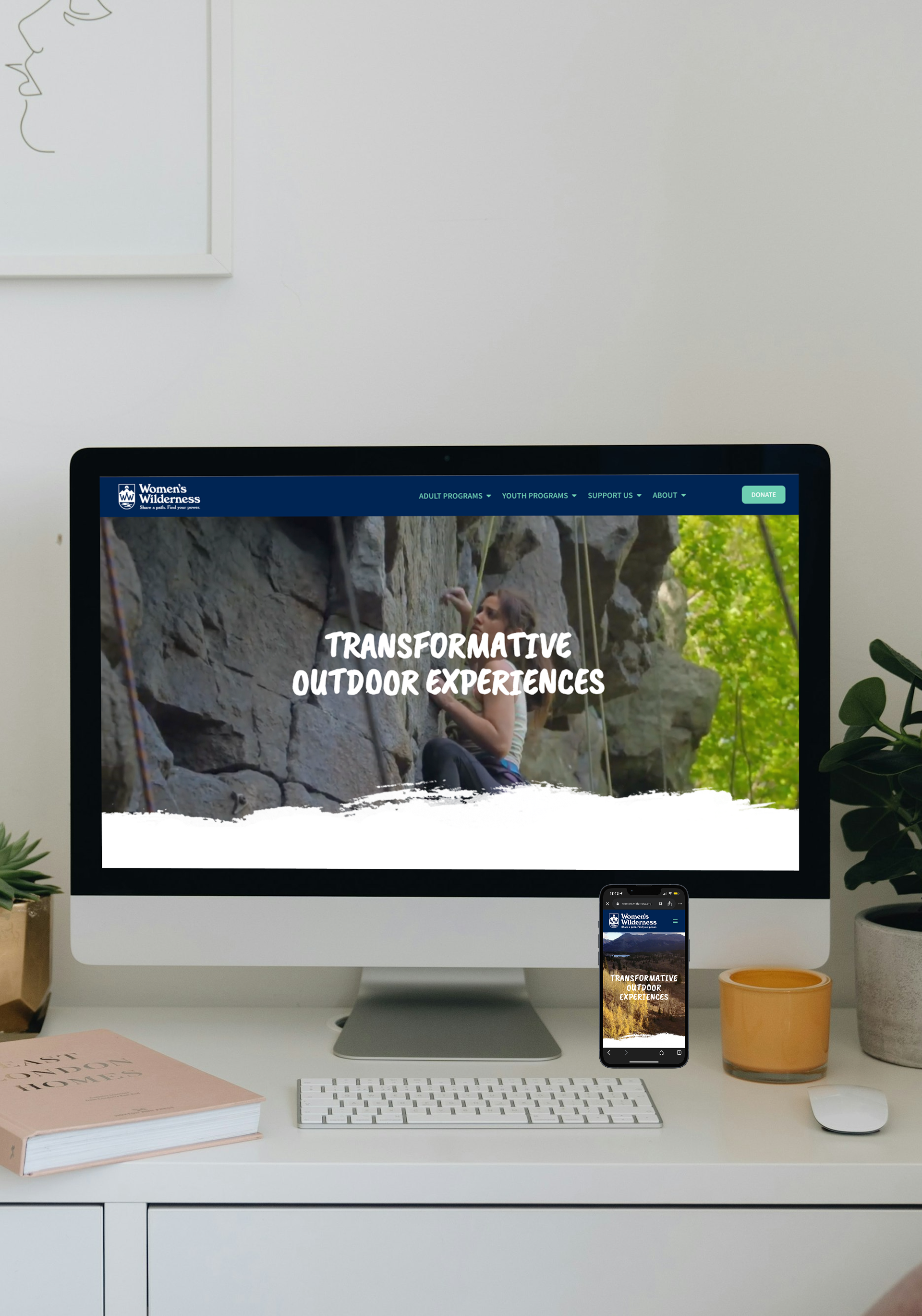
Going through their website, they have a large video playing of outdoor experiences at the front to catch your attention. Especially if you live in Colorado, the Colorado mountains in the video will give you a sense of familiarity. They also use a handwritten font and display photos of a diverse range of individuals who have participated in the activities. Overall, it is a very welcoming site with a lot of outdoor program activities offered.
Competitive Analysis & Critical User Journeys (CUJ)
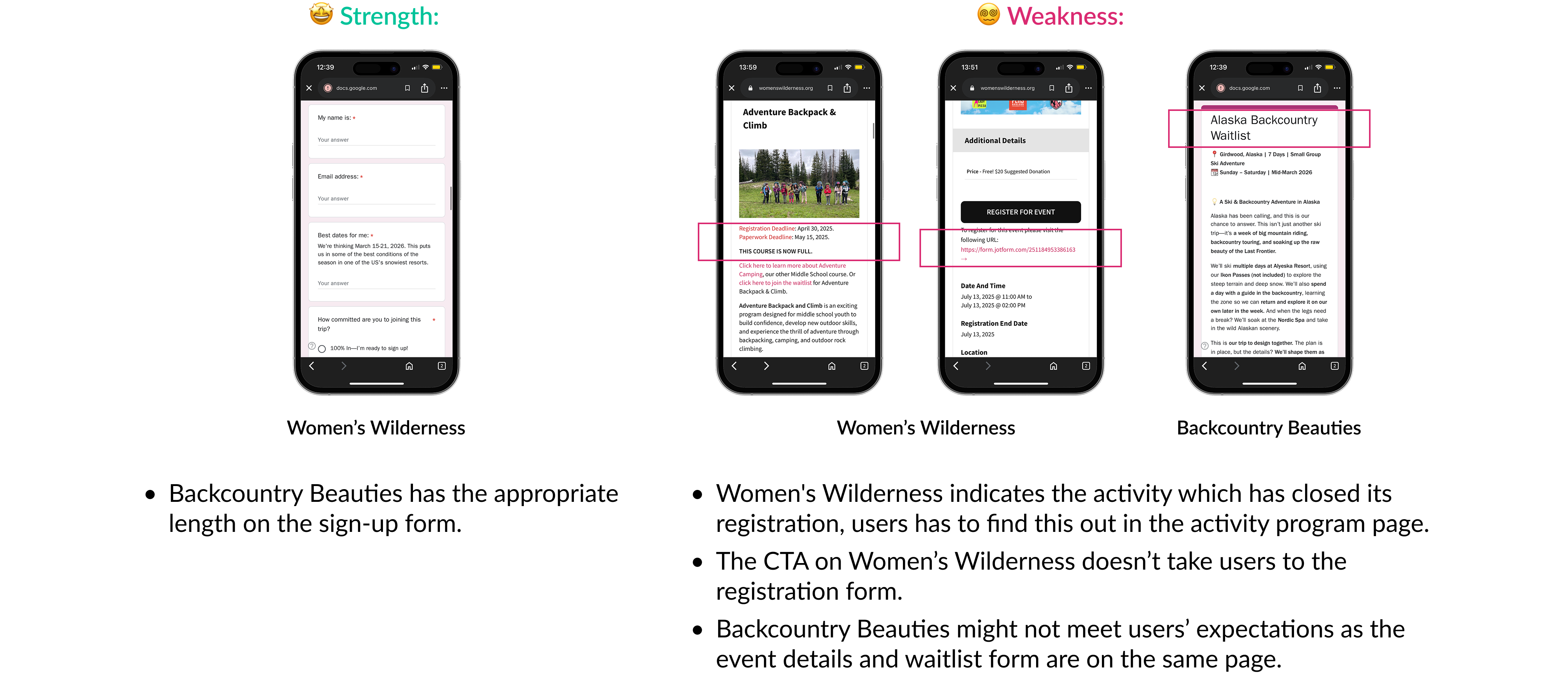
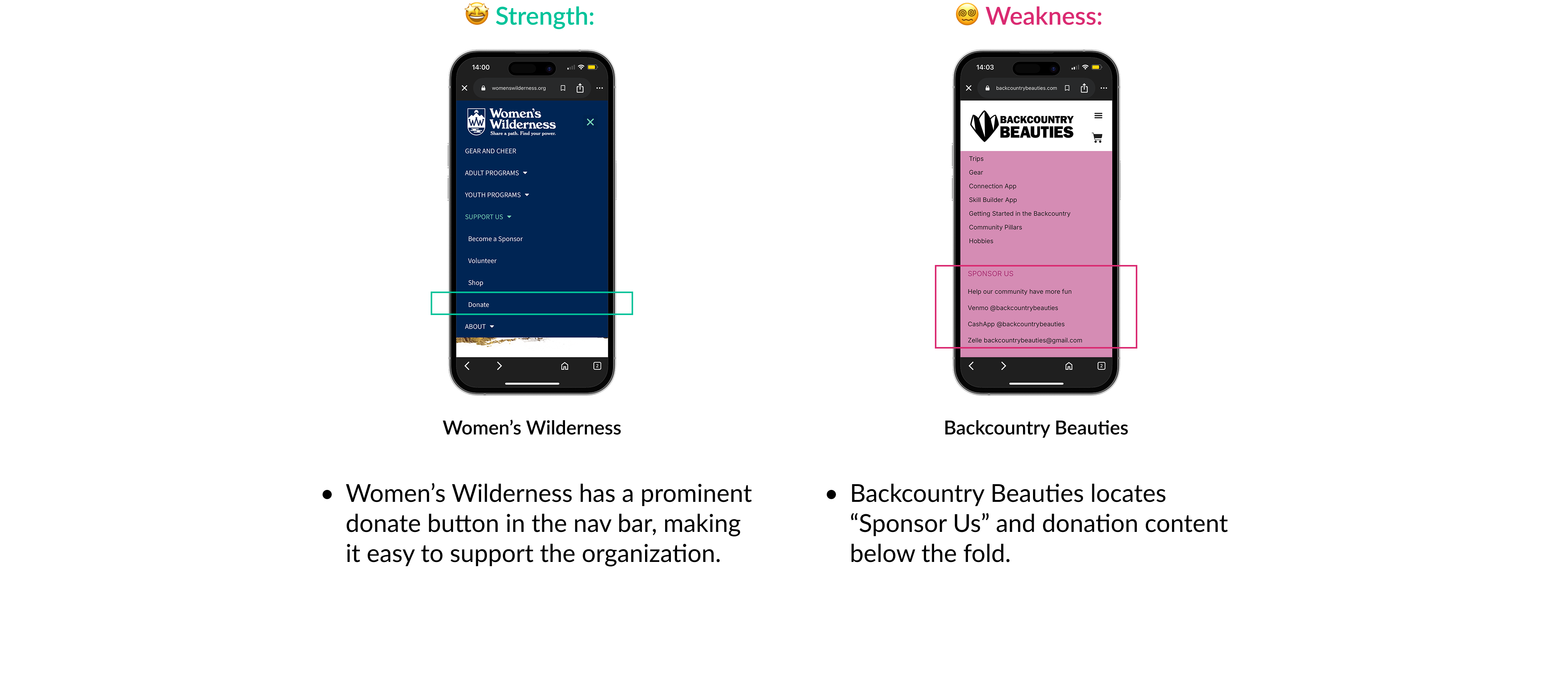
Using competitive analysis to compare Women’s Wilderness with another organization can help identify common usability issues and allow Women’s Wilderness to adopt solutions that another organization uses to satisfy user needs.
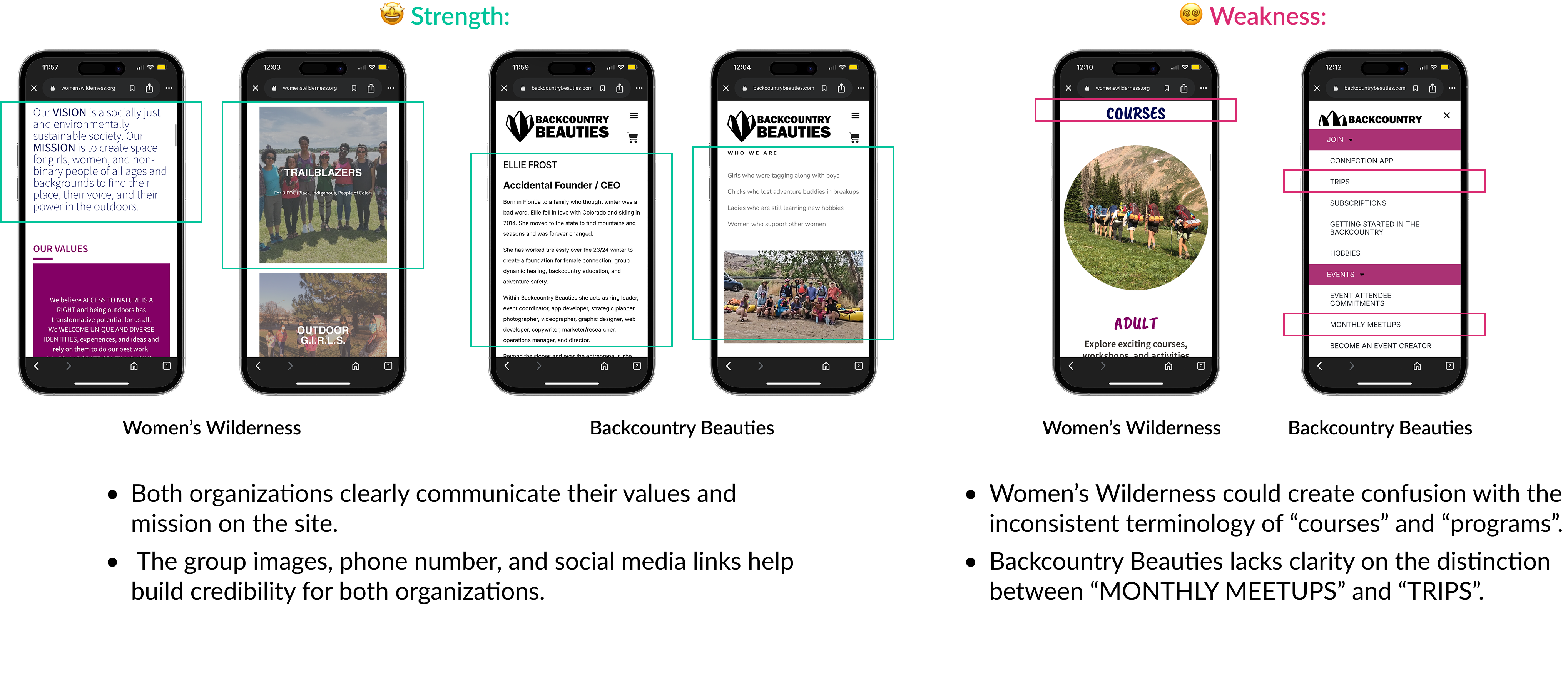
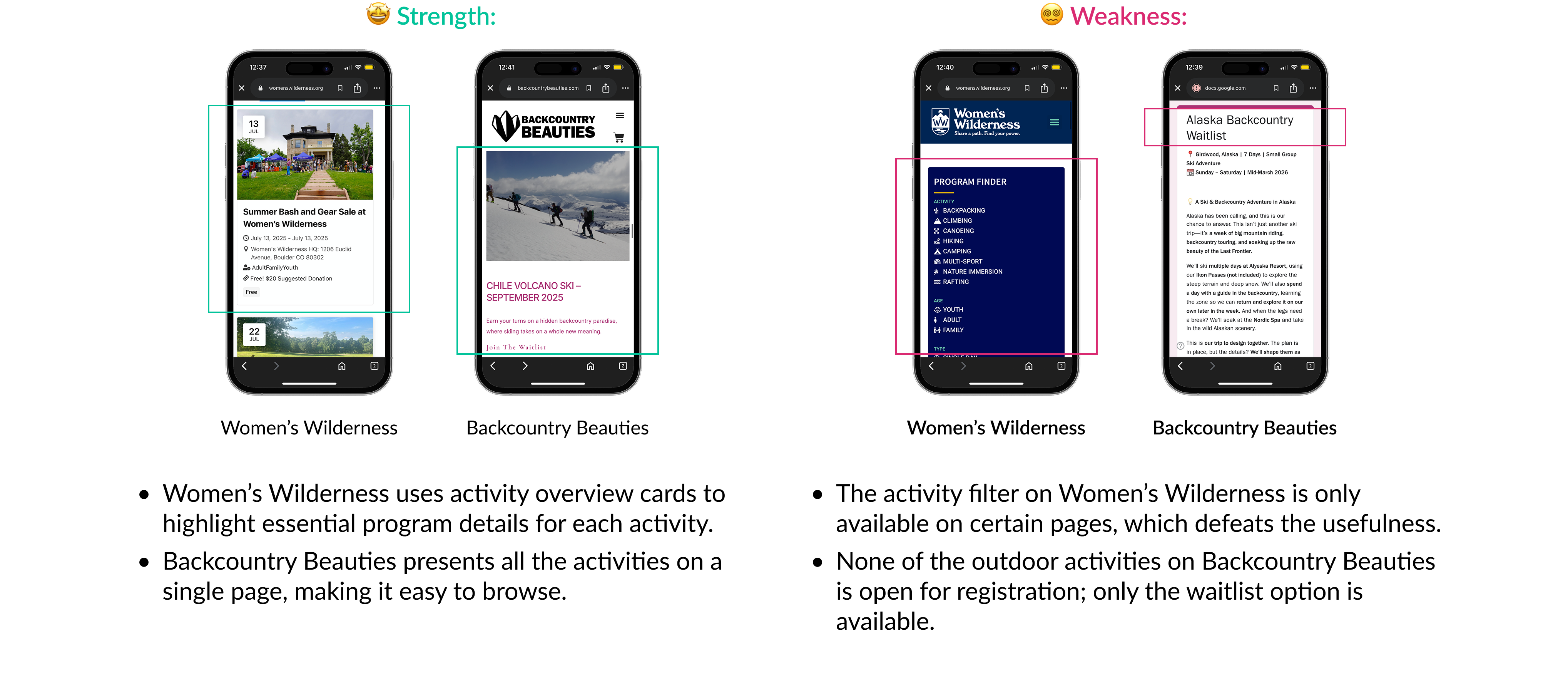
Since Backcountry Beauties is a Colorado-based organization focused on empowering women through outdoor adventures, we chose it to compare with Women’s Wilderness. I collaborated with 3 other UX Researchers, pretending to be a user to go through one of the following tasks and listed our the strength and weakness:
💡 These tasks represent the most critical user flows of the website, and we assume most users use mobile to access these tasks, so we evaluated these journeys on mobile.
CUJ 1: Learning about the organization
CUJ 2: Searching for a program
CUJ 3: Registering for a program
CUJ 4: Supporting the organization
User Interviews
My team and I aimed to recruit 5 qualified participants, because Nielsen Norman Group believes 5 people can reveal 85% of the usability issues, so we set up a screener to filter our potential interviewees on userinterviews.com. Since the pilot test went very well, we also included her responses in our research, and we have a total of 6 participants.
Background details of the interviewees:
- Participants: 6 women
- Duration: 45 minutes/virtual interview
- Location: All based in Colorado
- Age Range: 23 - 34 years old
- Outdoor Group Activity Experience:
- 3 participants regularly take part in organized outdoor group activities
- 3 participants have not participated yet, but expressed strong interest in starting
To maintain the consistency in the interviews within the group, I followed a script and a list of questions to ask. I also asked my interviewee to perform the same tasks that we studied during Critical User Journeys, but this time, the journeys are performed on the desktop.
Topics of the Interview Questions:
- First impression
- Activities and programs discovery
- Activity Registration
- Site navigation and other information exploration
Analysis and Synthesis
After conducting the interviews, I met with my group to share the details. We developed a color scheme based on the categories of our interview responses. Each member selected a specific interview topic and applied the corresponding colors to the responses of all participants related to that topic.
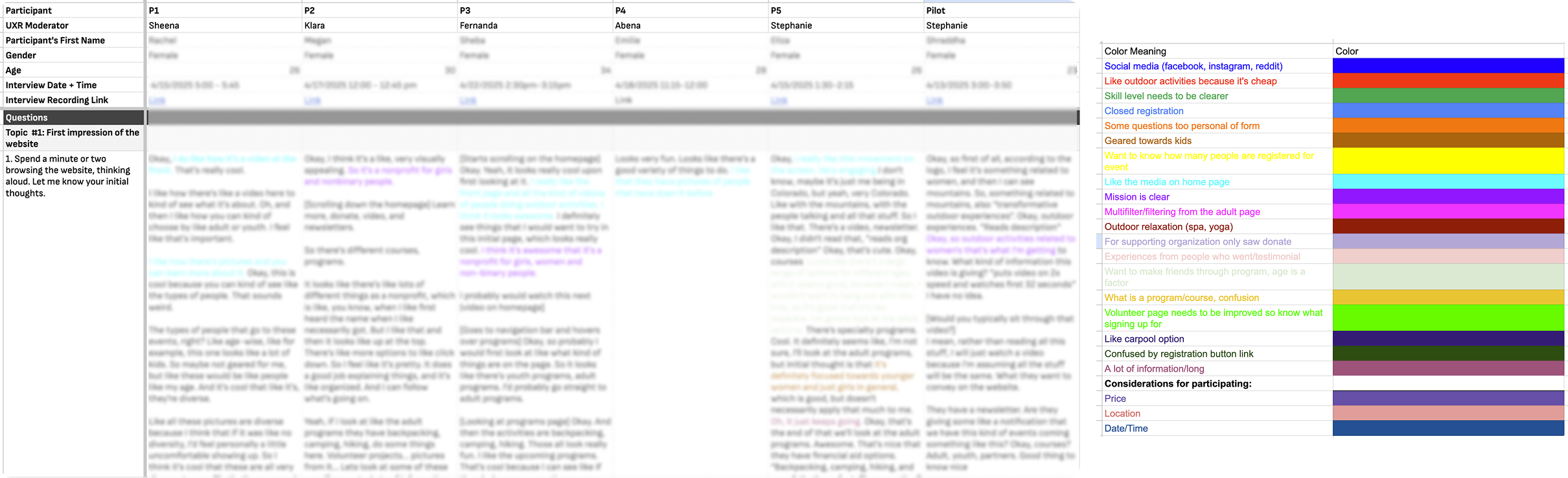
Once we had color-coded all the responses, we analyzed the data trends by counting how many participants expressed similar thoughts, actions, or feelings. From this analysis, we wrote our research findings.
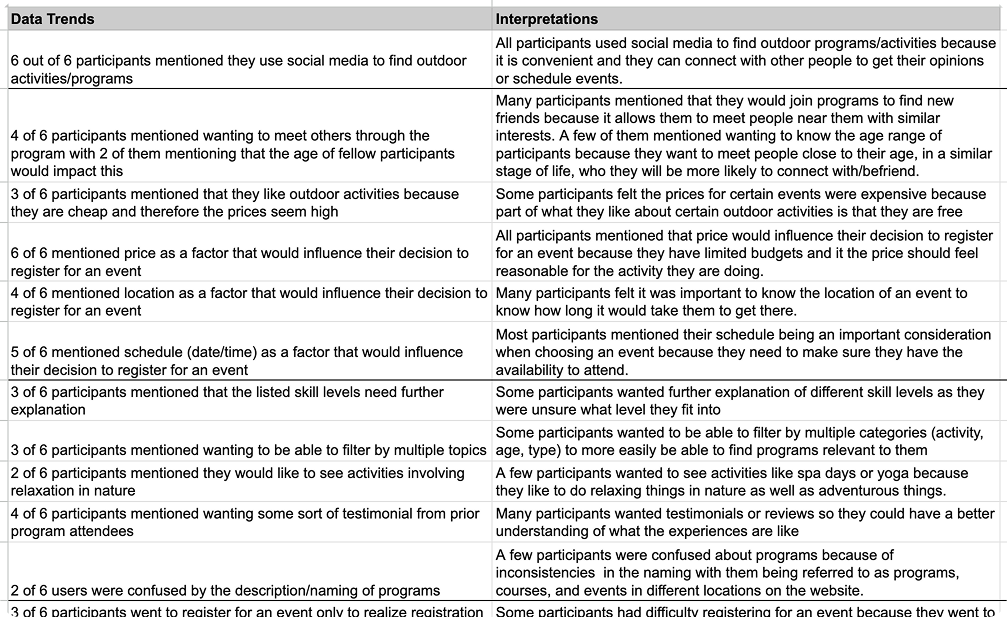
💡 Color scheme and data trend are the tools to help interpret interview responses in this project.
Overall Findings and Recommendations
- First impressions - Branding
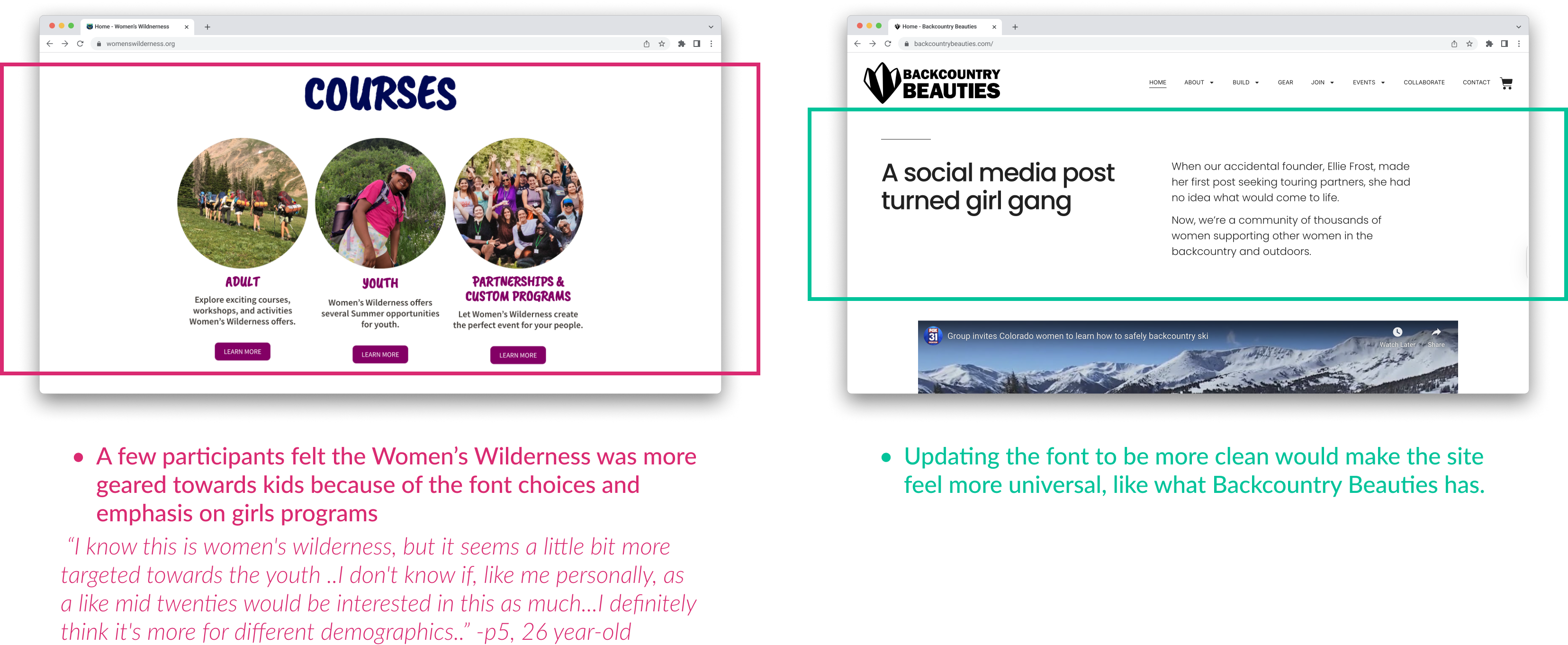
- Activities and programs discovery - Program Finder Filter
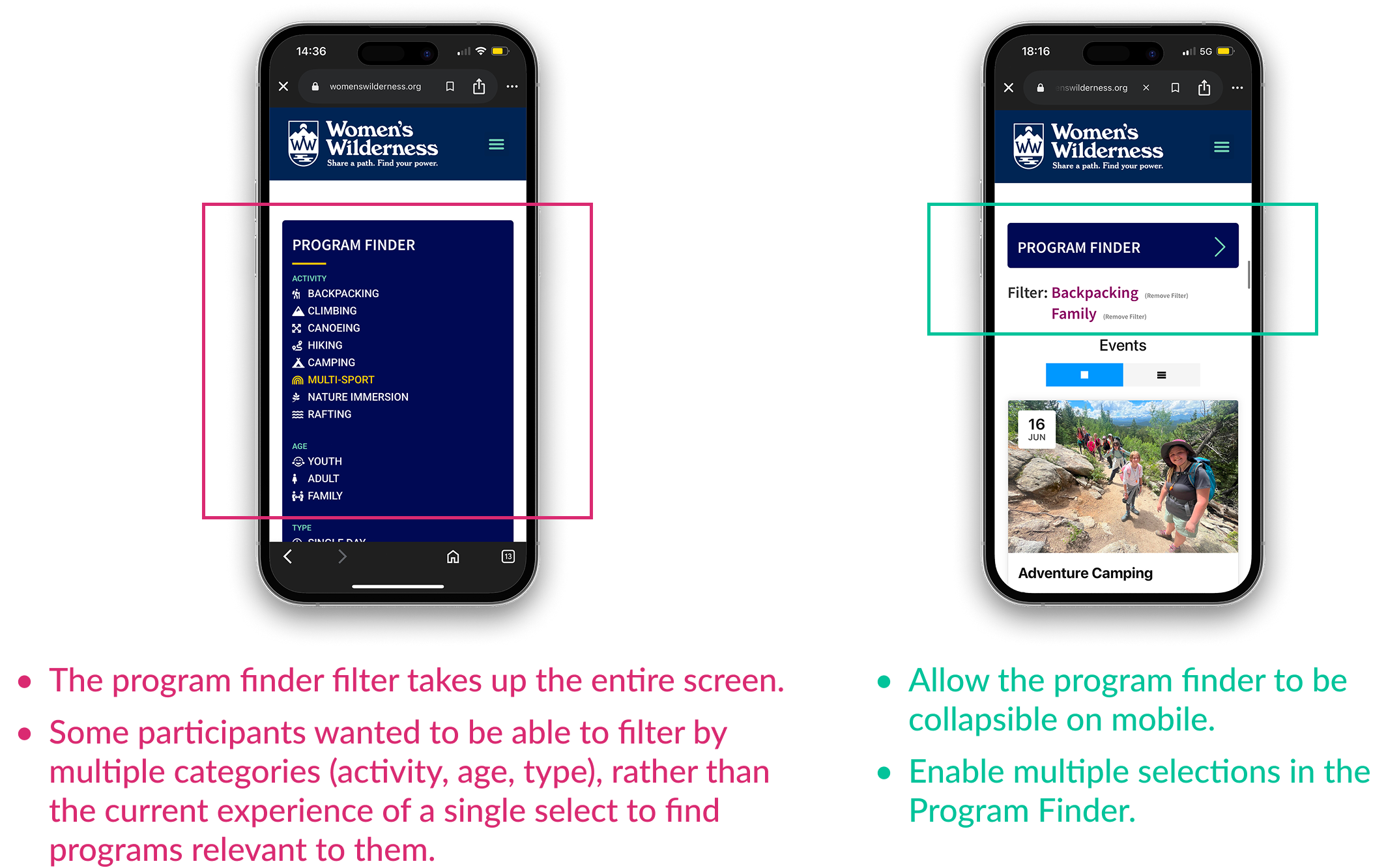
- Activities and programs discovery - Cost Clarity
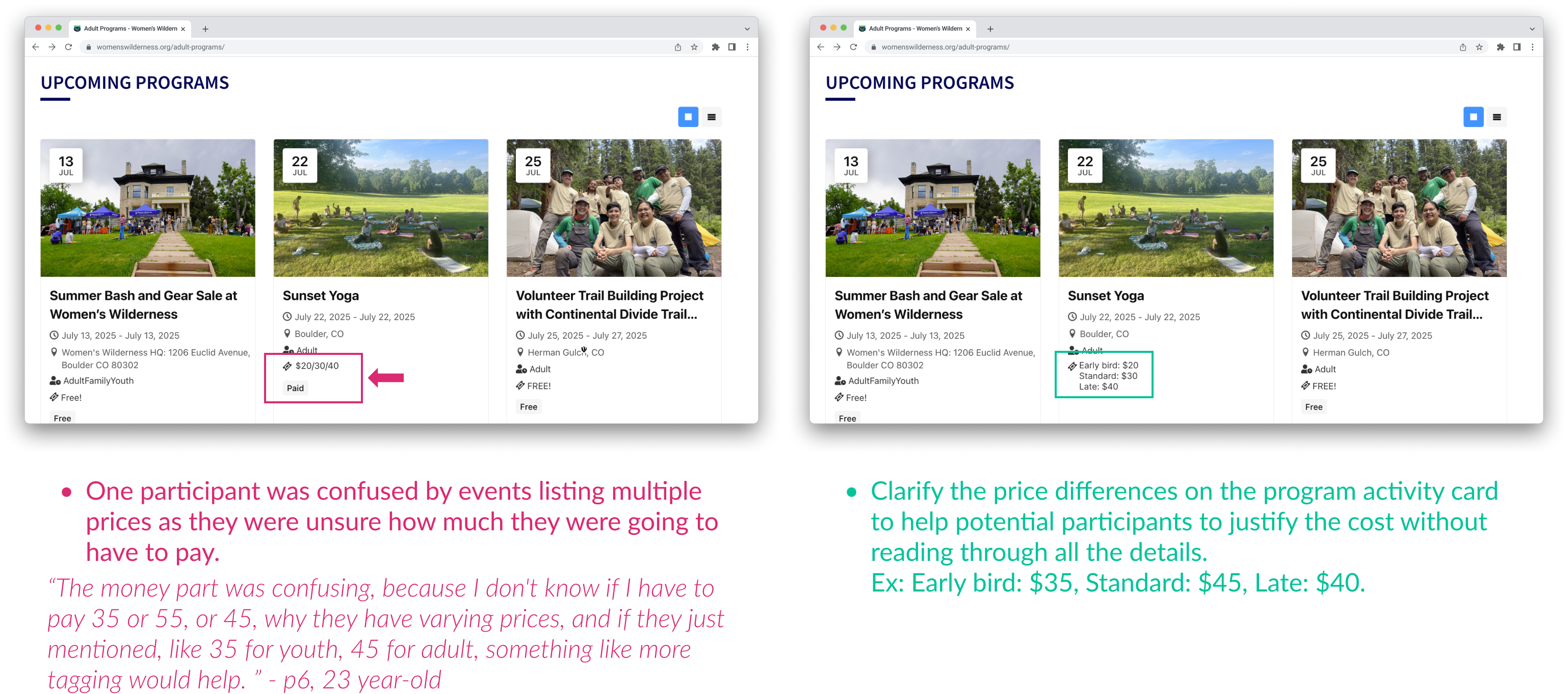
- Activities and programs discovery - Number of Participants
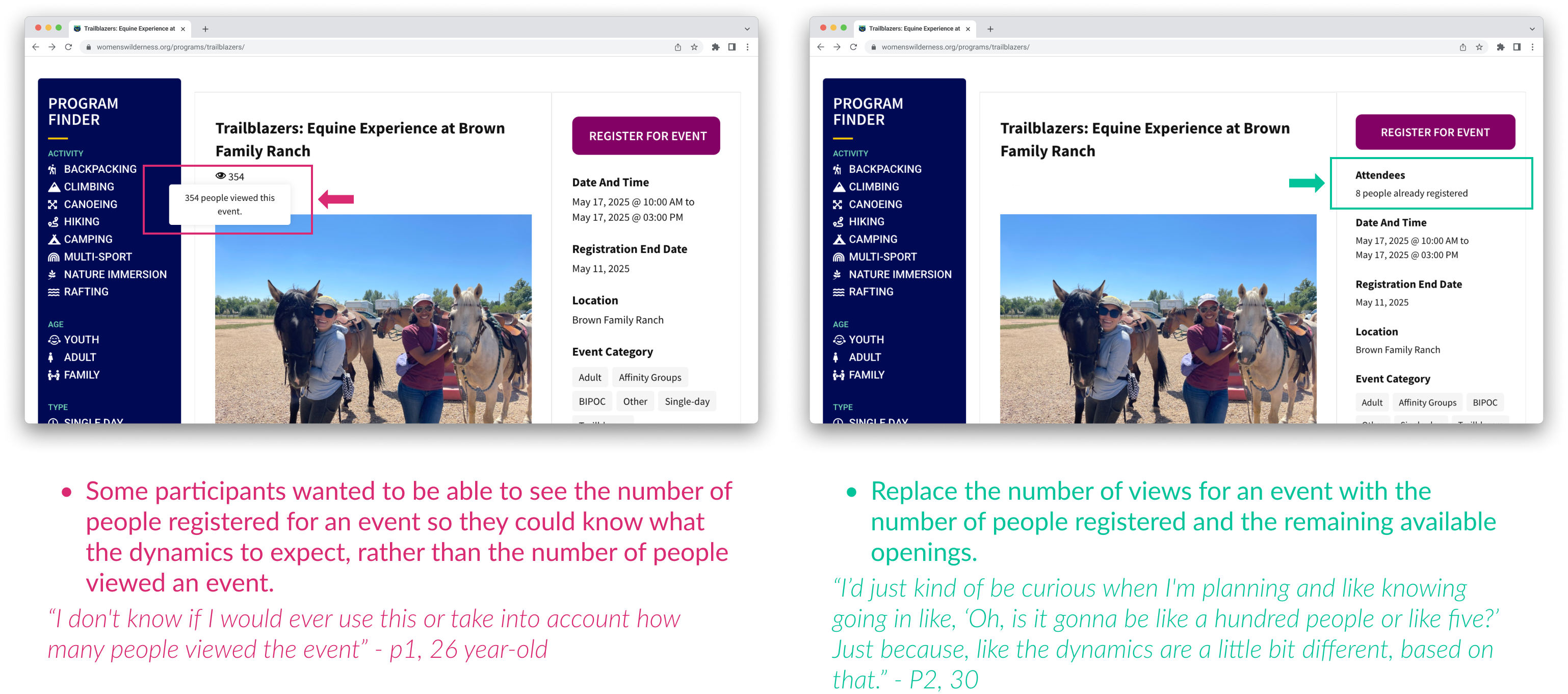
- Activity Registration - Registration Form
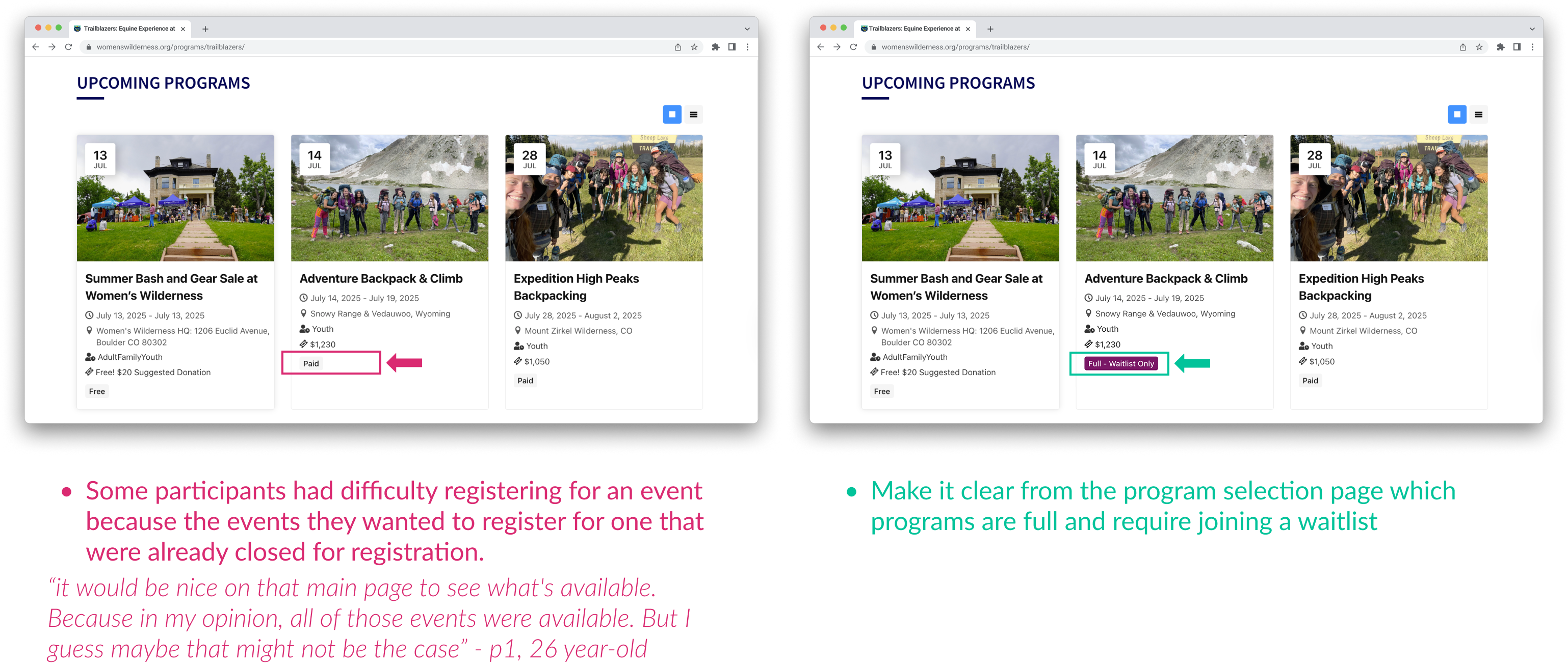
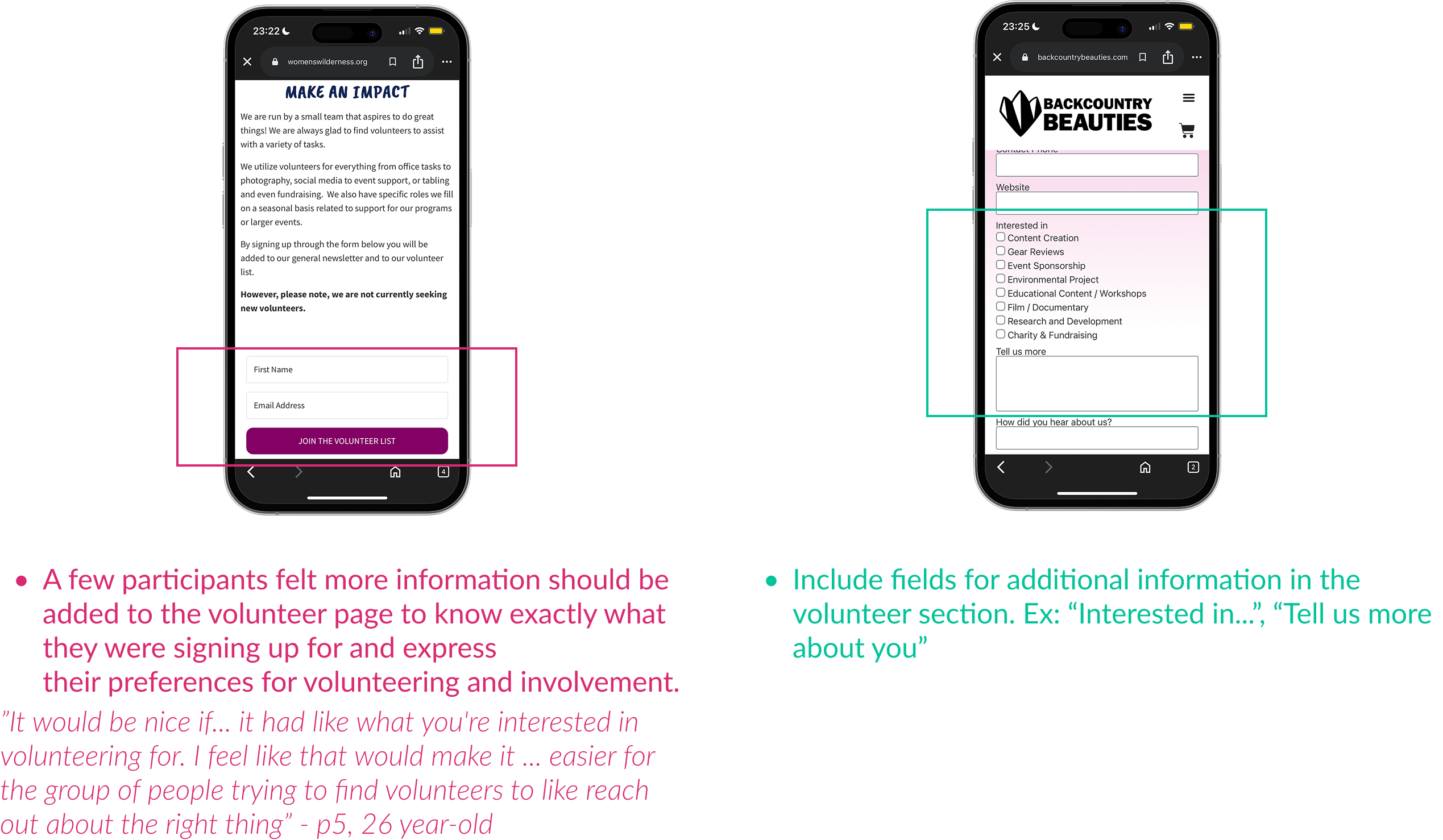
- Involvement - Volunteering
Impact
The pro-bono client was highly satisfied with the ux research report. " I’m just really appreciative for all the work that you did. [...] We are honored that you chose us. You answered my questions, our questions in such detail - it gives us a really clear path forward for any number of things we want to follow through on. [..] It’s great to also know that you aren’t too far off from cleaning it up, we don’t need to do a big overhaul; so that’s very exciting!” - Kriste + Women’s Wilderness


💭 Reflection
- During the competitive analysis, if we could compare multiple competitors, in addition to Backcountry Beauties, we would gain a more comprehensive understanding of other Colorado-based organizations.
- We didn’t have any parent participants to conduct usability interviews with, which meant we missed their perspective on this audience segment.
- We came up with these recommendations based on our research; however, we didn’t conduct further research to understand the effectiveness of our recommendations.